Outlook Express (OE), an application generated by Microsoft, is basically the faster and lighter version of its heavy-weight counterpart, MS Outlook. It is a simple user-friendly and highly efficient email client. It gives a smooth interface to the users which help them to organize their emails uncomplicatedly. It also provides a built-in backup system to the users for important correspondence. In corruption issues also, Outlook Express Recovery can be done easily. Setting up of Outlook Express is also not something intricate and complex that you cannot understand.
Steps to step up towards Outlook Express set up
Following are the steps for setting up of Outlook Express.
1) Step 1
The first and foremost thing that you need to do is to gather all the information which is required to setup an email address in the Outlook Express. This information can be acquired by contacting your Internet Service Provider (ISP) or by consulting the help section of the web-based email account you want to set up in OE like Gmail, Hotmail etc.
2) Step 2
After you gather the information, now open Outlook Express. In the navigation menu, you need to go to “Tools” and select “Accounts”. Then click on “Add” and then “Mail”. OE will instantly begin the Internet Connection Wizard.
3) Step 3
After that, type your name in the field of “Your Name”. The name that you will enter here will be seen by the recipients of your mail whenever they will receive your mail. Nicknames can also be used. After entering your name click “Next” to proceed.
4) Step 4
The next step is to enter your email address in the "Internet Explorer Address" page. After doing it, you have to click on the "Next" but to go on with the process.
5) Step 5
Enter all the information that you gathered in the beginning about your email account. This information has to be entered into the “Email Server Names" page. Again click on “Next” to move ahead.
6) Step 6
Enter the name and password of your email account. It is recommended to leave the “Remember password" box deselected for security and privacy, because by not doing that anyone access your emails.
7) Step 7
After entering the name and password, click on the “Next” button and finally click “Finish” to complete the OE set up process.
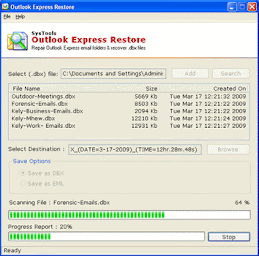
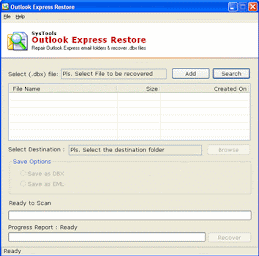
Setting up your Outlook Express is half the battle won. Then comes its usage and that too ‘safe usage’. OE Corruption is a scenario that you might or might confront. But, in case you encounter any such problem, then also you would never lose the battle and would never lose your email data because Outlook Express DBX recovery is easily and effortlessly possible using a reliable DBX recovery tool. Just as setting up of Outlook Express is easy, similarly DBX file recovery is highly simple with SysTools Outlook Express restore tool that will repair corrupt DBX file of Outlook Express and will recover Outlook Express emails completely, comfortably and cost-effectively in a convincing manner that the user would be totally satisfied on all fronts – ease, cost, efficiency and result.